An official website of the United States government

The CoastWatch Utilities read CoastWatch data files (NetCDF and HDF format) and contain graphical tools for interactive data viewing and command line tools for data processing.

Table of Contents
- Overview
- Latest Updates (Version 4.1.5)
- Source Code and Downloads
- Quick Start Guide
Overview
The CoastWatch Utilities are a cross-platform software suite for working with CoastWatch satellite data stored in NetCDF and HDF formats. The software includes interactive graphical tools for data exploration and visualization, as well as command-line tools for scripted, automated, and large-scale data processing.
The utilities support a wide range of common analysis and production tasks, including:
Information and statistics
Inspection of file contents and metadata, direct access to raw variable and file attributes, and statistical calculations on data variables (such as minimum, maximum, mean, and standard deviation).
Data processing and registration
Data format conversion, compositing, generic variable mathematics, data sampling, and resampling between map projections.
Graphics and visualization
Interactive visualization and analysis, batch image rendering, animation generation, and the creation of ancillary graphics.
The software runs on Windows, Linux, and macOS. The screenshots below show the macOS version of the CoastWatch Data Analysis Tool (CDAT), which provides an interactive environment for exploring and visualizing CoastWatch data.
 |  |
 |  |
The following are sample animations produced by the cwanimate tool:
Latest Updates (Version 4.1.5)
- The Java VM version for installation packages with bundled Java VMs is now 17.0.17 for the latest bug and security fixes.
- New palettes, overlay groups, and preferences have been added for the latest Coral Reef Watch data files.
- CDAT and cwrender now use a higher speed expression parser, resulting in 3x faster rendering in some cases of expression-based mask overlays.
- Various documentation was updated and corrected, including adding HTML pages for the command-line tools.
- CDAT has an added window size shortcut (Ctrl-4) to more easily display wide aspect ratio global datasets.
- CDAT startup resource errors are now more accurately reported.
- Color palettes in CDAT and cwrender with few colors now map data values to colors more accurately. Previously rounding errors resulted in inaccurate mapping.
See the User's Guide Appendix G for a full list of changes.
Source Code and Downloads
The source code is available on the CoastWatch Utilities GitHub site, and is also included in all distribution packages. Binary installation packages and supplementary data are as follows:
| Platform | Download | MD5 |
|---|---|---|
| Windows | cwutils-4_1_5_336-windows-x86_64.exe Requires that the Visual C++ Redistributable Package is installed first. | c5b65ab39def805a3ee8b2d453babf8a |
| Linux | d905544891121b5b24ee2659520b15da | |
| Linux | cwutils-4_1_5_336-linux-x86_64-novm.tar.gz Requires that a Java Virtual Machine is installed first – OpenJDK 17 or higher is recommended, see https://jdk.java.net. | d67ef3c0292d43f1e6987cacb104ea42 |
| Mac | cwutils-4_1_5_336-macosx-x86_64.dmg | b113272ea322114d5218c56356962887 |
| All | etopo1.hdf Optional 1 km resolution topography data used by CDAT and cwtccorrect to be copied into <INSTALLDIR>/data/noaa/coastwatch/render | 2008818927ec2c470cb2afe6bc4af765 |
For help with installation, consult the Installation Notes section of the User's Guide. Please submit errors or bug reports to coastwatch.info@noaa.gov.
Note that the installation packages for the CoastWatch Utilities are made possible by the generous donation of a license for the install4j multi-platform installer builder by ej-technologies.
Quick Start Guide
- Download and install the package for your operating system
- Download a data file, see the Product Search Tool for datasets. For example, search for SST and download a data file from the ACSPO Global 0.02º Gridded Super-collated SST dataset (eg: via HTTP)
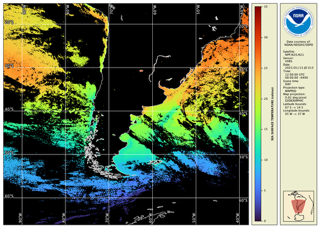
Go through the steps in the Unit 2 of the online course to open and view your data file. Export an image of your region of interest:
Documentation and Presentations
- Version 4.1.5 User’s Guide [revised]
- CoastWatch Utilities 4.1.5 Updates and Demo
- CoastWatch Utilities Online Tutorial Course
- Metadata documents:
- YouTube playlists:
Archive of previous presentations